2 posts tagged with "architecture"

View All Tags

Architecture and Customization Guide

· 3 min read
Charles P
Boards Creator & Maintainer

Baseboards is an open source npx CLI package which provides a complete platform for generating, storing, reusing and sharing digital artifacts, especially those created with generative AI models.

Overview

This documentation provides an overview of the Baseboards project, detailing its structure, components, and customization options. It serves as a basic introduction for developers looking to understand and modify the Baseboards installation.

Project Structure 0:00
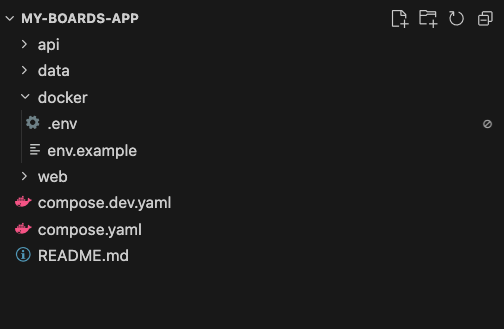
project structure

  • The Baseboards project includes files necessary for running the application.
  • The project consists of:
    • Docker Compose configuration files.
    • API: The backend built with FastAPI, utilizing SQLAlchemy for database models.
    • Data Storage: By default, data is stored locally, but pluggable storage options for cloud services are available (pending implementation).
    • Web: The frontend is built with Next.js, featuring a simple set of dependencies including Tailwind CSS and Bratics controls.

Backend Overview 1:08
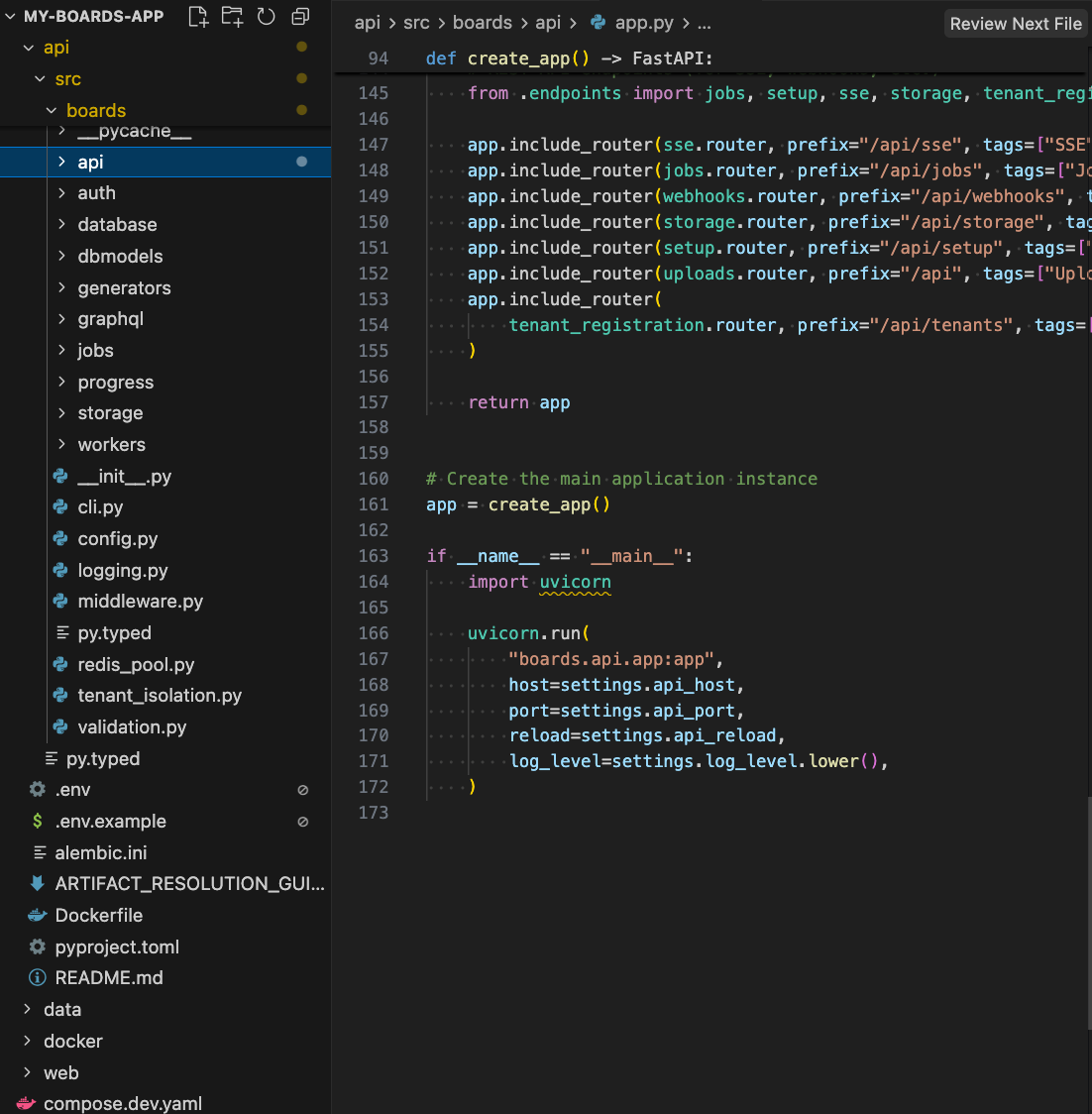
backend overview

  • The backend is primarily written in Python and is structured as a FastAPI application.
  • It includes:
    • Database models using SQLAlchemy.
    • A GraphQL API implemented with Strawberry, allowing for queries and mutations.
    • Workers running in a separate container for independent scaling from the API server.

Generators 2:29
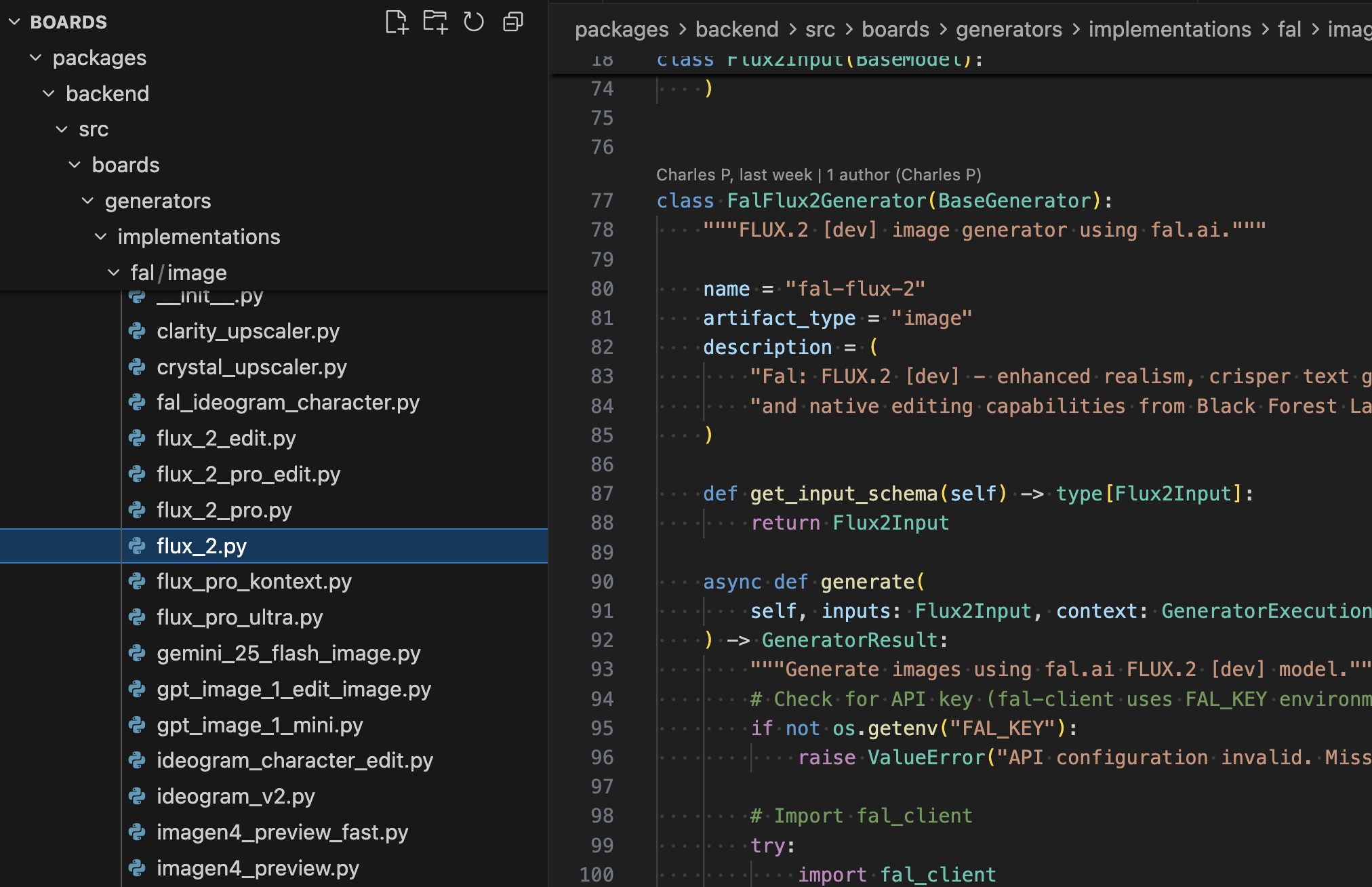
generators code

  • Generators are responsible for calling the models and generating content.
  • Examples include implementations for audio, video and image processing, such as Nano Banana Pro and Flux 2.
  • Users can modify these generators as needed or create their own.

Authentication and Storage 3:13
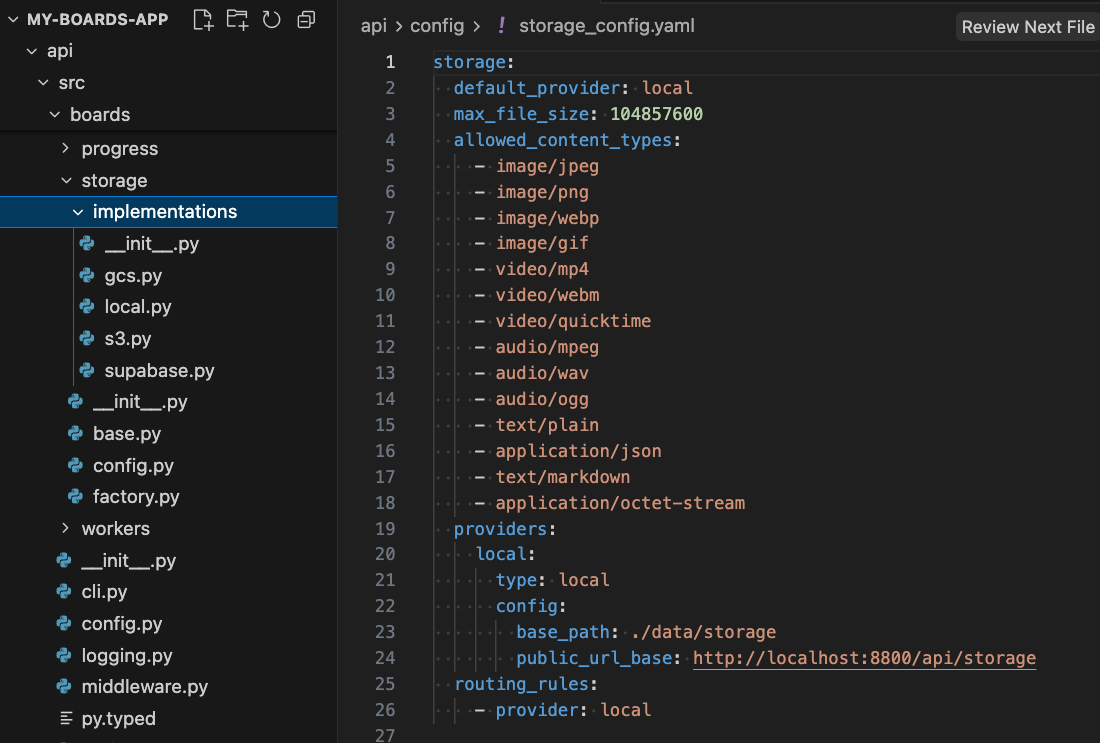
storage config

  • Current authentication support is limited, but future plans include integration with various auth providers.
  • The storage implementation is currently local, with aspirations to support popular cloud storage options like Google Cloud and S3.

Frontend Overview 4:27
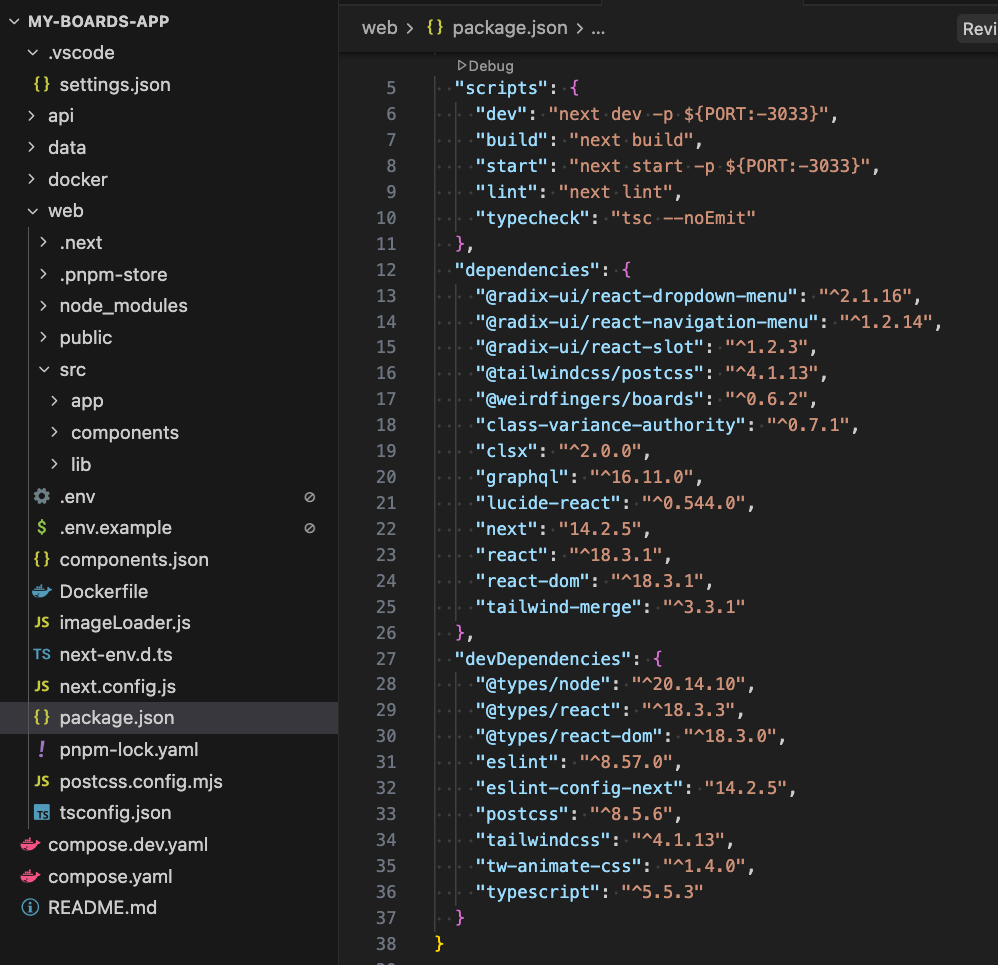
frontend overview

  • The frontend is a basic Next.js application.
  • Dependencies include the npm package @weirdfingers/boards for core functionality.
  • Future support for other frameworks like Svelte and Create React App (CRA) is desired.

Customization and Features 9:04

generated-image-at-00:09:04

  • Users have full access to the source code for both the backend and frontend, allowing for extensive customization.
  • The video contains a vibe coding session for two such customizations:
    • Simple generic customizations such as adding a dark mode feature.
    • Making use of Boards-specific functionality, such as renaming boards, although this may soon become obviated, as there is an existing Github issue for such functionality, marked good first issue and help wanted

Watch the full video walkthrough

What's New in Baseboards: A Developer's Guide (With Minimal Sarcasm)

· 5 min read
Charles P
Boards Creator & Maintainer

Based on the Loom walkthrough

1. Creating a New Baseboards Project

0:00

The walkthrough begins the way all good projects do: with a single command line incantation:

npx @weirdfingers/baseboards up my-boards-app

This command scaffolds a brand-new Baseboards project—frontend, backend, worker, and infrastructure templates included. If you’ve ever wished your “new project” button also came with working Docker orchestration and a GraphQL API, this is it.


2. API Keys & Docker: The “Why Is My Laptop Spinning Up Containers?” Section

0:11

You’ll enter a few model provider API keys, and then—almost before you can ask “is this strictly necessary?”—Docker Compose launches.

A reasonable question at this point:

Why Docker for a local app? Isn’t Docker for, like, distributed systems and people who enjoy YAML?

In Baseboards’ case, Docker gives us:

  • isolated containers for Postgres, Redis, worker, and API services
  • identical environments across local dev, staging, and production
  • a deployment model that moves cleanly from “my laptop” → “my startup” → “my questionable future Kubernetes cluster”

Yes, it’s a lot of machinery for a local app.
But it’s the same machinery you’ll want later when Baseboards is hosting thousands of artifacts instead of three test PNGs.


3. Scalability Isn’t Just Marketing

0:34

One of Baseboards’ goals is to scale to any deployment shape:

  • Kubernetes: for the “I run a cluster and am emotionally prepared for this” crowd
  • Single backend: the “just give me one machine that works” use case
  • Local development: everything running neatly in containers, immune to dependency drift

The same architecture works across all three. That’s why we start on Docker—it’s the lowest common denominator that still behaves like a real distributed system.


4. Creating a New Board & Meeting Nano Banana Pro

1:09

Once the environment is up, you can head to localhost:3300 and create a new board.
Boards are the top-level containers for your artifacts—images, videos, text, audio, diagrams, all of it.

This release introduces support for:

Nano Banana Pro

A shockingly good model for infographics, diagrams, and other structured image output.


5. Testing Nano Banana Pro With an Architectural Diagram

1:16

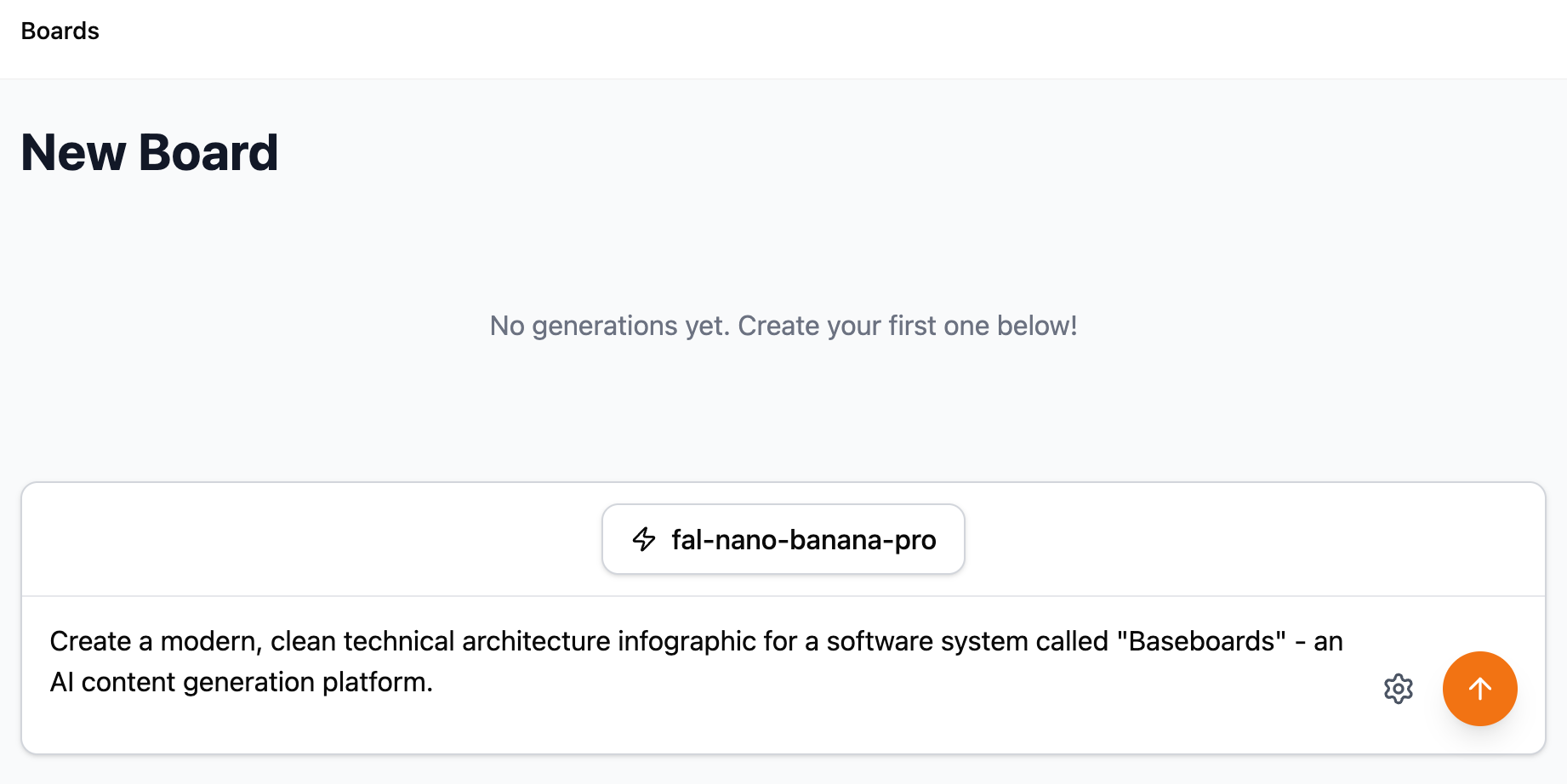
Nano Banana Infographic Prompt

To test the model, we ask it to generate an architectural diagram of Baseboards itself.

The prompt was generated using Claude, which was asked to:

  1. Look at the Baseboards project code
  2. Summarize the system architecture
  3. Produce a prompt describing that architecture visually

It’s AI analyzing code to produce a prompt for another AI to generate an image of the code used by the first AI.
This is what software development looks like now. We’re all just living in it.


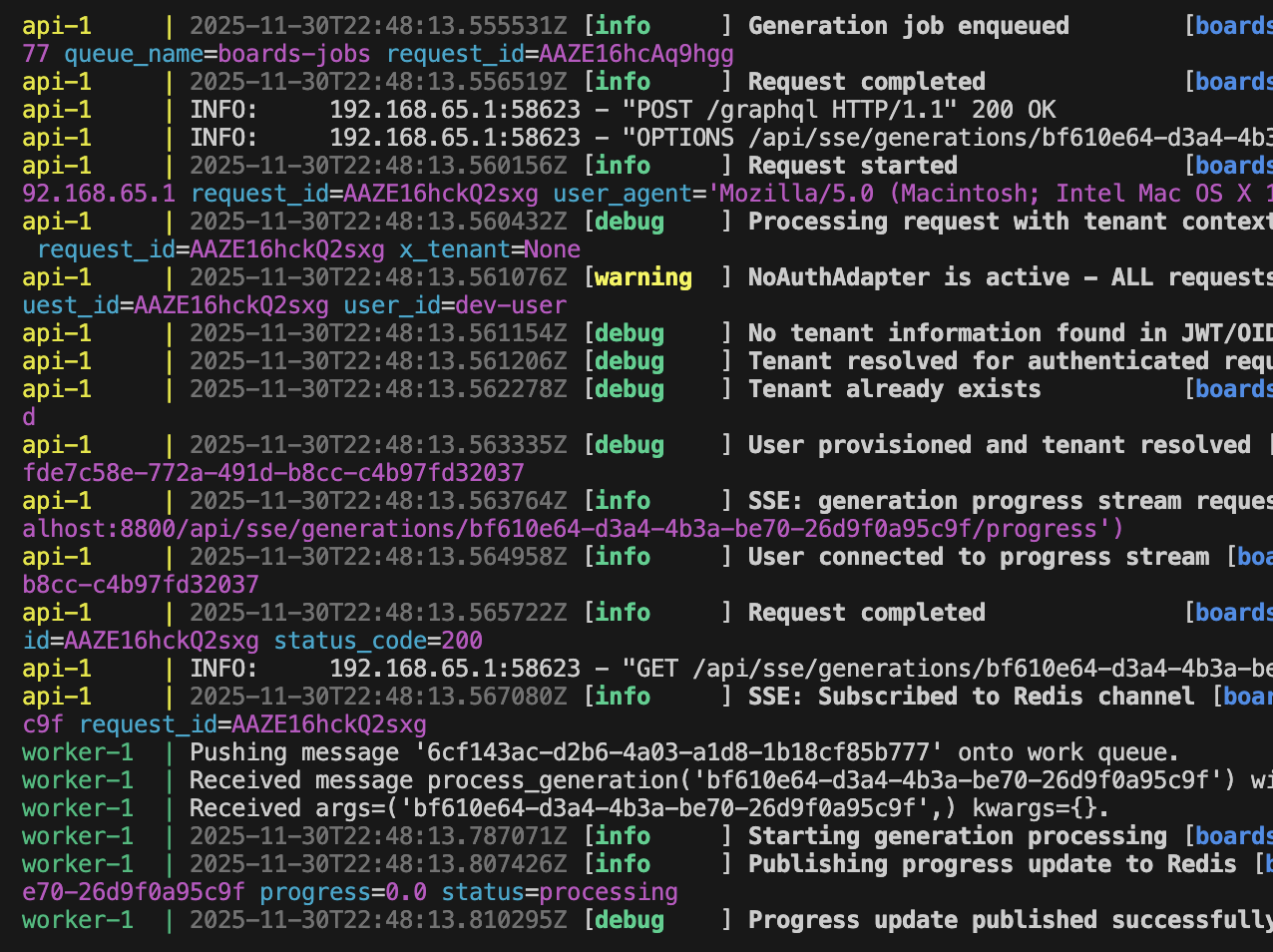
6. Monitoring the Worker and Logs

2:07

When the model is generating, you can:

  • click into the job
  • or—if you enjoy the feeling that you are in a late-90s hacker movie—
    check the logs in the terminal.

(inside the project directory)

npx @weirdfingers/baseboards logs -f

You’ll see the worker pick up the job, send it to Nano Banana Pro, receive the output, and push it back through the API.

Logging Output

Baseboards’ logs are human-readable, which is a refreshing change from certain systems we won’t name.


7. Infographic Success (Mostly)

2:37

When the worker finishes, the artifact appears directly on your board.

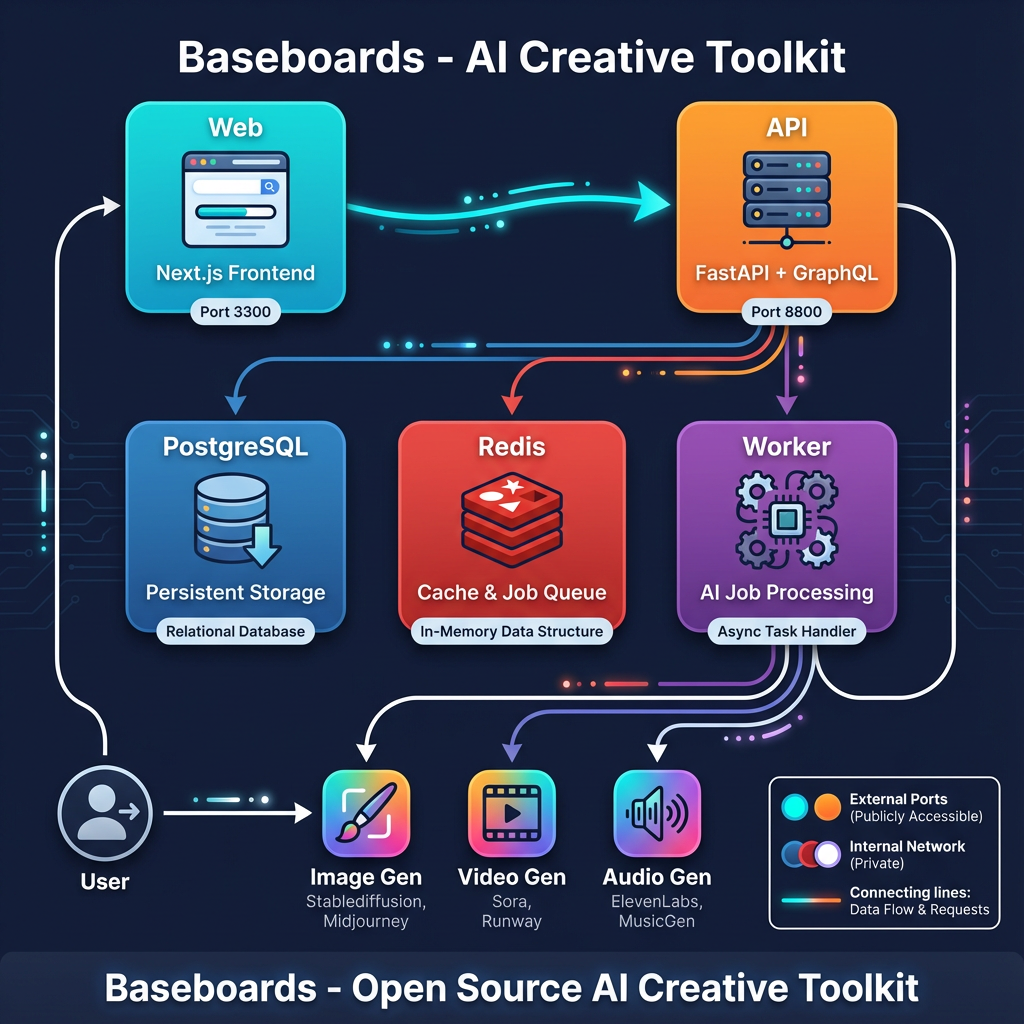
Architecture Diagram

The generated infographic:

  • is visually clean
  • maps the major components correctly
  • contains several arrows
  • and—most impressively—gets most of them pointing in the right direction

There are a few small hallucinations (e.g. Midjourney support, which Baseboards emphatically does not have), but diagram-hallucination is a known side effect of models trying to be helpful.


8. Architecture Overview (AI-Generated, Human-Corrected)

3:07

The real Baseboards architecture looks like this:

  • Frontend (Next.js)
  • FastAPI + GraphQL backend
  • Postgres
  • Redis
  • Worker process
  • Model provider

The AI-generated diagram was close but forgot the part where the worker writes results back to the database, which is arguably the most important arrow.
We’ll blame the prompt, not the model.


9. Next Steps: Exploring the Project Structure

4:03

The next episode will dig into:

  • what’s inside the generated Baseboards project
  • how the API, worker, and frontend are wired together
  • where to customize jobs and add new model providers
  • how the Docker services communicate
  • and how to extend Baseboards to support new artifact types

Think of this episode as the appetizer.
Next time we go into the folder structure—the part everyone skips until something catches fire.


Full Video Walkthrough

https://loom.com/share/f496dcd5f36c49cb9d308667bff813dd