Introducing Baseboards

Because sometimes you want your own generator, not someone else’s walled garden.
Generative AI Artifact Creation, Storage, Reuse, and Sharing
Based on the walkthrough: https://loom.com/share/8fca2571cf104e128b1d3acb19d1cd46
Overview
Baseboards is my attempt to answer a simple question:
“What if all the cool generative-AI sites let you run everything yourself?”
If you’ve used LTX Studio, OpenArt, or Higgsfield AI, you’ve seen the pattern:
- A prompt box
- A panel of models
- A gallery of generated artifacts
- Some surprising creation
- And… a platform you don’t control
Baseboards takes that pattern and flips it around.
You bring the API keys, the storage, the workflow, the choices.
We provide the tooling, the UI scaffolding, and a pleasantly opinionated architecture.
This article introduces the boards concept, the Baseboards CLI, and the philosophy behind letting developers run a generative AI pipeline locally — with Docker and a couple of well-behaved containers — instead of relying on A Third Party Cloud Platform™.
1. Introduction to Generative AI Boards
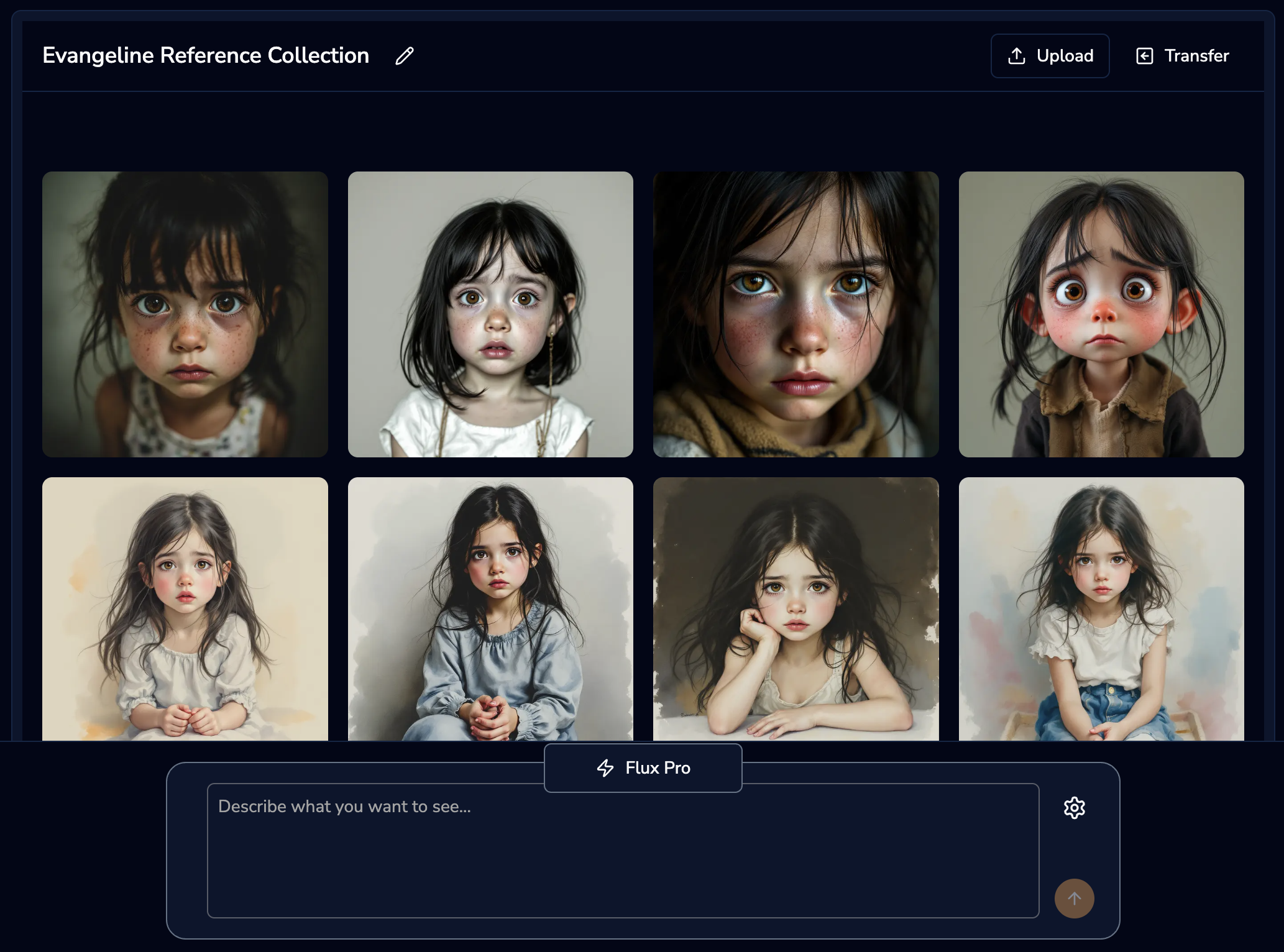
The “boards” UI pattern is everywhere: a place to write, a place to generate, a place to keep the things you generated. It’s familiar, intuitive, and most importantly, expandable.
With Baseboards you get:
- A ready-to-run board environment
- Local control over storage, metadata, and file retention
- A backend designed for worker-driven, multi-provider generation
- A frontend you can fully customize or replace
- Zero dependence on proprietary model wrappers
Where other platforms give you abstraction, Baseboards gives you ownership — with just enough scaffolding to avoid spending Saturday debugging CORS again.
2. Key Principles of Baseboards
The Baseboards ecosystem focuses on three core ideas.
1. Ultimate Customizability
If you want to bolt on a new model, add tools, rearrange the UI, or turn your board into a surrealist social media network… nothing will stop you except your own better judgment.
2. Direct API Access
Use your own Replicate, FAL, or other provider keys.
Baseboards doesn’t proxy, meter, wrap, or charge a fee.
It’s your board, your usage, your billing.
3. User-Controlled Storage
Anything you generate is stored directly on your machine (or your server), under your rules.
Back it up, move it, delete it — Baseboards doesn’t know or care.
(Kelso would say: “Finally, image generation where the storage policy isn’t ‘hope the cloud gods are kind today.’”)
3. Setup Requirements
You’ll need:
- Node.js (18+ recommended)
- Docker Desktop (Mac / Windows) or Docker Engine (Linux)
- A willingness to type a single, moderately long command
If you can run Docker and Node, you can run Baseboards.
4. Installation Process
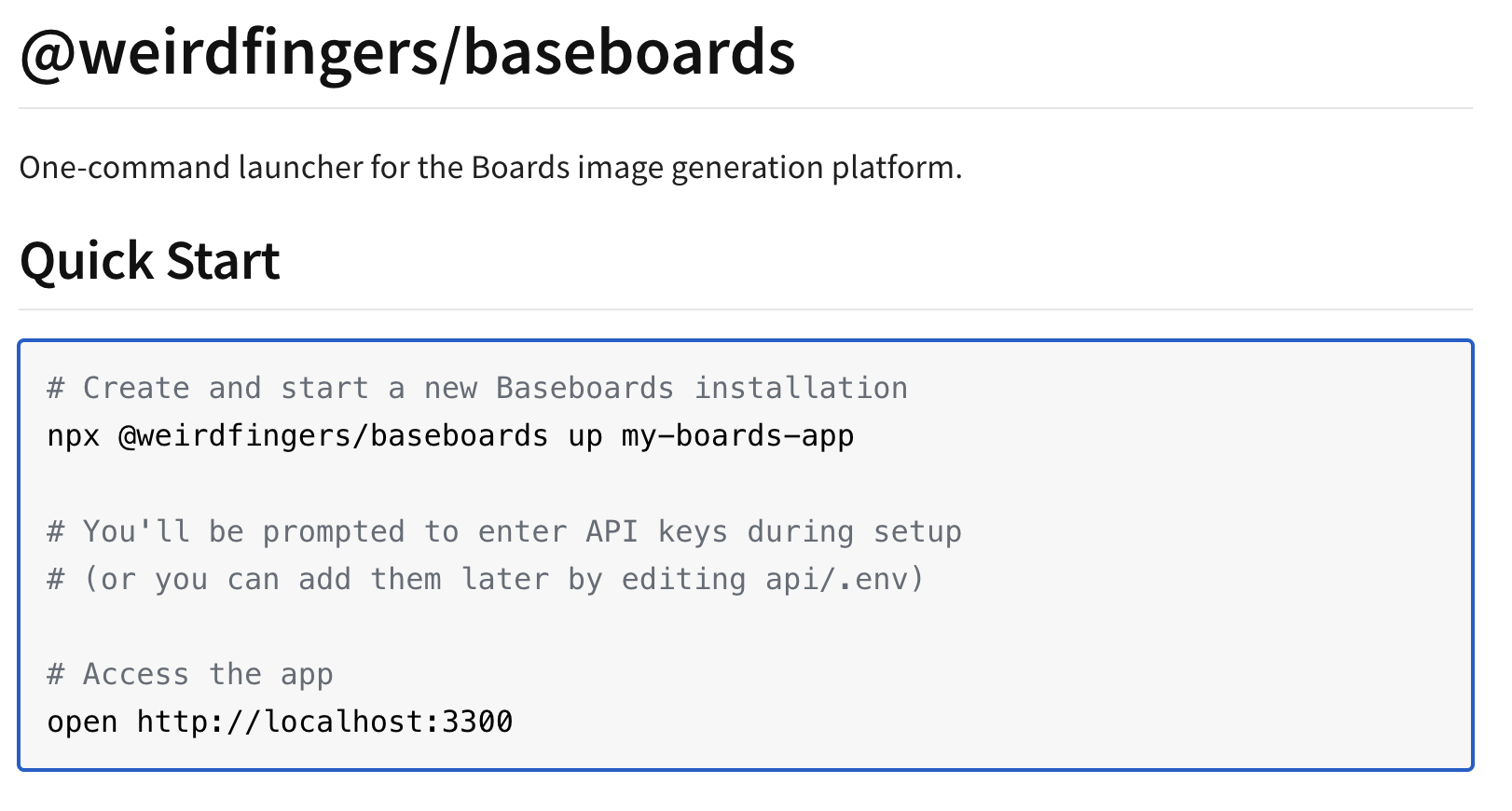
Open a terminal and run:
npx @weirdfingers/baseboards up my-boards-app
You’ll be asked for:
- Replicate API key (optional)
- FAL API key (strongly encouraged -- the vast majority of our currently supported models run on Fal.ai)
- OpenAI API key (highly optional unless you love Dall-E)
Then Docker Compose spins up:
- the backend
- the worker
- the frontend
- PostgreSQL
- Redis
When everything settles, head to:
http://localhost:3300
If the page loads, your system works.
If Docker fans spin loudly, that’s also normal.
5. Using the Board
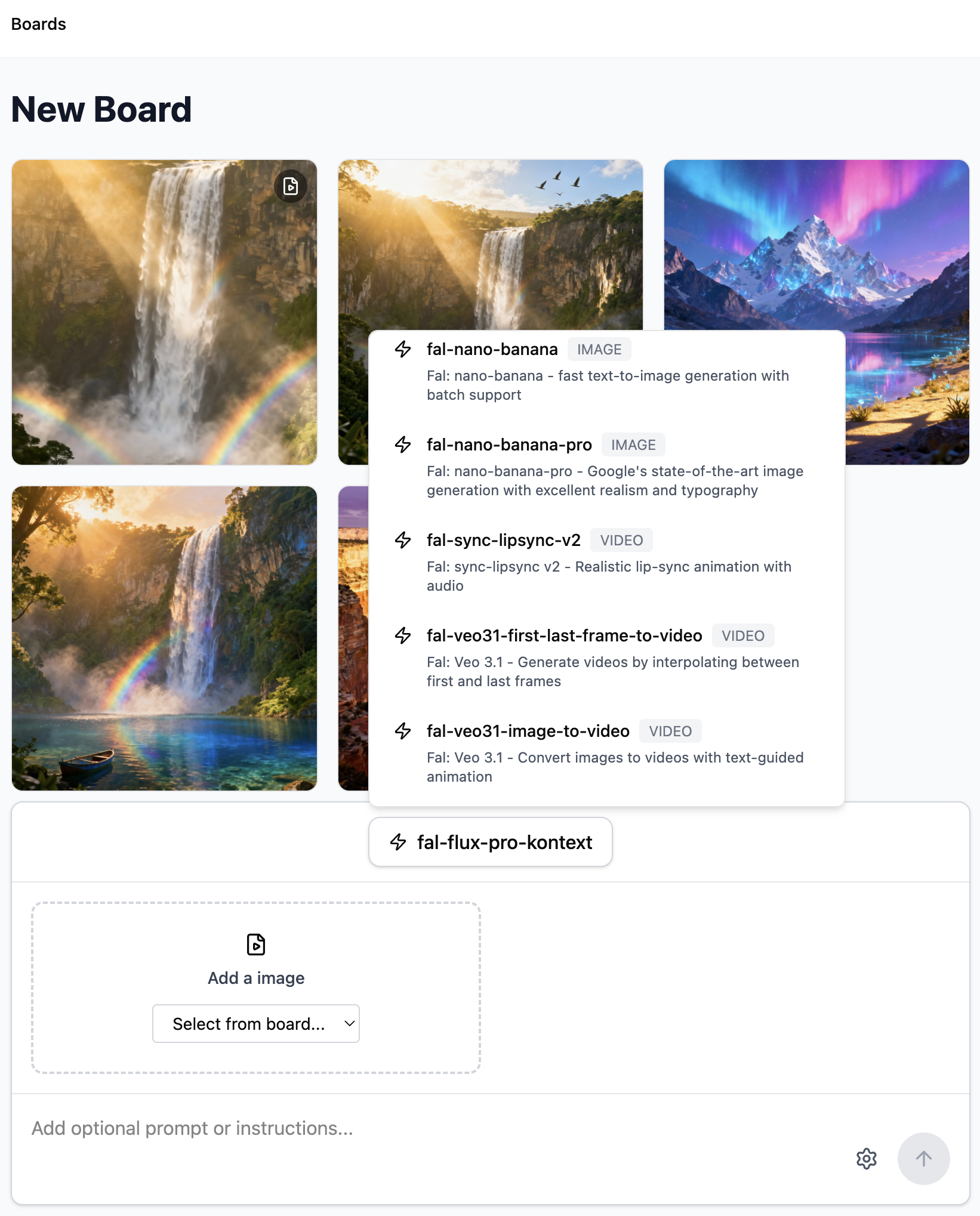
Once running, you can:
- create new boards
- input prompts
- choose from models like Imogen 4, Nano Banana, Flux, and others
- generate images directly via your API keys
- view artifacts in a local gallery
- download or delete them from disk
The board is intentionally minimal — a base layer for you to customize and extend.
(Kelso note: “It’s minimal the way Linux is minimal. You can do anything, but it’s on you to decide whether you should.”)
6. Directory Structure
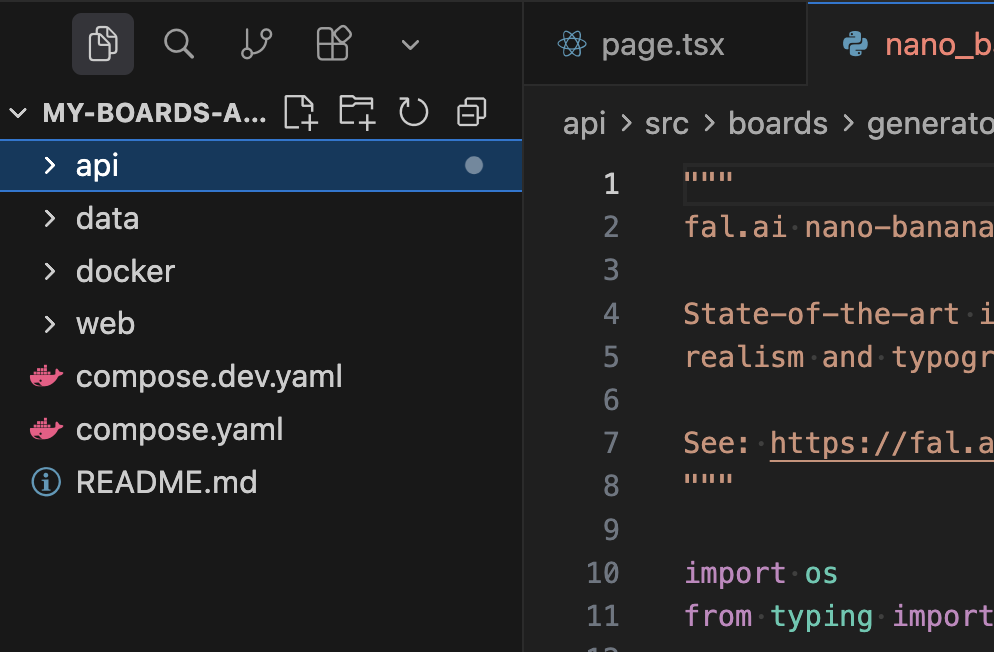
A Baseboards project includes:
api/
FastAPI + GraphQL backend
- Job submission
- Artifact metadata
- Provider configuration
- Routing to worker queues
worker/
Executes generation jobs
- Sends prompts to model providers
- Saves output artifacts
- Emits logs
- Writes results back to Postgres
web/
The Next.js frontend
- boards UI
- prompt input
- artifact gallery
- API interactions
data/
Your generated images, stored locally
- organized by board
- no cloud dependencies
- easy to back up or sync
docker/
Compose configs for local orchestration
The layout is designed so you can replace any one piece without touching the others — or replace all of them and still keep the core job engine.
7. Future Plans
Planned improvements include:
- More model integrations
- Better video generation workflows
- Richer customization (tools sidebar, multi-step pipelines, metadata tagging)
- Optional hosted mode
- Better support for “vibe coding”
- Deeper docs and more examples
- Community contributions via Discord
The long-term goal:
a completely customizable generative-AI platform you truly own.